Nadia runs organic growth for a B2B analytics vendor with eleven named competitors. In February she wrote a memo arguing the company should keep blocking AI training crawlers, on the reasonable grounds that nobody in the category was opening up. In August a board member asked her a simple question during a QBR: "Is that still true?" She did not know. She spent the rest of that afternoon opening eleven /robots.txt files and eleven /llms.txt URLs in browser tabs, one at a time, comparing them against nothing, because she had never saved a baseline.
Seven of the eleven now allowed at least one AI crawler. Four had published an llms.txt file. The shift had happened over roughly five months and left no trace anywhere she was looking, because none of it appeared on a rendered page, in a press release, or in a rank tracker. It lived in plain text files nobody thinks to open twice.
That is the gap this guide closes. Watching your own robots.txt for accidental blocks is a hygiene task, and our companion guide on monitoring llms.txt and robots.txt for AI crawler access covers that single-site job in depth. This post is about the other job: running a standing panel of thirty to sixty domains across your industry, so AI crawler policy becomes a tracked adoption curve rather than an afternoon of frantic tab-opening.
What is an AI crawler policy panel?
An AI crawler policy panel is a fixed list of domains in your industry whose robots.txt and llms.txt files you monitor continuously, so you can see who allows which AI crawlers and when that changes. Instead of auditing one site once, you hold a baseline for the whole category and get diffs as it moves.
The unit of analysis is the panel, not any single file. One competitor unblocking GPTBot is an anecdote. Six of your top ten doing it inside a quarter is a market signal that your own blocking policy is now an outlier, and outlier positions in AI visibility compound quietly: they cost you nothing today and cost you a mention in an answer six months from now.
Who the panel is for
Three roles get the most out of this. GEO and SEO leads use the panel to justify or reverse an access policy with evidence rather than opinion. Competitive intelligence analysts fold crawler policy into the same tracked-signal set as pricing and job postings. Publishers and data businesses use it to see whether peers are gating, licensing, or opening their archives, which is a direct read on how the category values its own content.
What the panel is not
It is not a traffic measurement. A robots.txt line is a stated policy, not proof that a crawler obeyed it or that anything was ever fetched. It also does not tell you whether a company's content is showing up in AI answers, which is a separate measurement covered in our post on monitoring the source pages AI engines cite about your brand. The panel answers one narrow question: what has this market decided to permit, and when did it change its mind.
How widely adopted is llms.txt right now?
Adoption is real but small and heavily skewed toward technical and SaaS sites. Published studies through 2026 put llms.txt on a single-digit percentage of the largest sites and roughly a tenth of broader domain samples, growing fast off a tiny base. Crucially, most published files are never actually requested by an AI crawler.
The most sobering datapoint comes from Ahrefs' study of llms.txt files across roughly 137,000 domains, which found the overwhelming majority of published llms.txt files received no AI crawler requests at all during the study window. Treat publishing one as a low-cost bet on a maturing convention, not a traffic lever. Numbers vary widely between studies because samples and validation rules differ, so cite the study and its sample size rather than a headline percentage.
For the convention itself, the llms.txt proposal at llmstxt.org is the primary reference: a Markdown file at the site root listing a site's most important pages with short descriptions, optionally paired with an expanded llms-full.txt. Nothing enforces it, which is exactly why its presence is informative. A company only writes one because someone there decided AI readers were worth serving.
Why the adoption curve is the signal, not the level
Whether 5% or 12% of a sample has the file matters far less than which direction your specific category is moving. A panel of forty domains gives you the first derivative: three additions in Q1, seven in Q2, and suddenly a convention you dismissed is table stakes among the companies you compete with for an answer slot. Third-party industry-wide percentages cannot tell you that, because your competitive set is not a random sample of the web.
Adoption is also uneven by sector. Documentation-heavy software companies, developer tools, and API businesses moved first, because their content is already structured and already the thing users ask assistants about. If your panel sits in a lagging category, an early mover inside it is a much louder signal than the same move in developer tooling, where the file is close to a default.
Which files and directives should the panel track?
Track four things per domain: /robots.txt, /llms.txt, /llms-full.txt where it exists, and the HTTP status of each. Within robots.txt, the directives that matter are the AI-specific user agents, because a change to Googlebot is an SEO event while a change to GPTBot or ClaudeBot is a GEO event.
The robots exclusion protocol is the same decades-old convention search engines have always followed, and the major AI vendors publish named agents that operate under it. OpenAI documents its crawlers publicly in the OpenAI crawler overview, which distinguishes the training crawler, the search index crawler, and the agent that fetches a page because a user asked for it in a conversation. Those three do very different jobs, and a company that blocks training while allowing search retrieval has made a deliberate, readable choice.
| What to watch | Where it lives | What a change usually means |
|---|---|---|
| AI training crawler rules | robots.txt user-agent blocks |
A shift in stance on content used for model training |
| Search and retrieval crawler rules | robots.txt user-agent blocks |
A deliberate bid for, or retreat from, AI answer visibility |
| User-triggered fetch agents | robots.txt user-agent blocks |
Whether assistants can read a page a user pastes in |
llms.txt presence |
/llms.txt |
Someone on the team is actively investing in AI readability |
llms.txt contents |
/llms.txt |
Repositioning, new product areas, new canonical docs |
llms-full.txt presence |
/llms-full.txt |
A serious, resourced commitment, not a checkbox |
| HTTP status of all four | Response code | A 404 flipping to 200 is the adoption event itself |
Presence is a first-class event
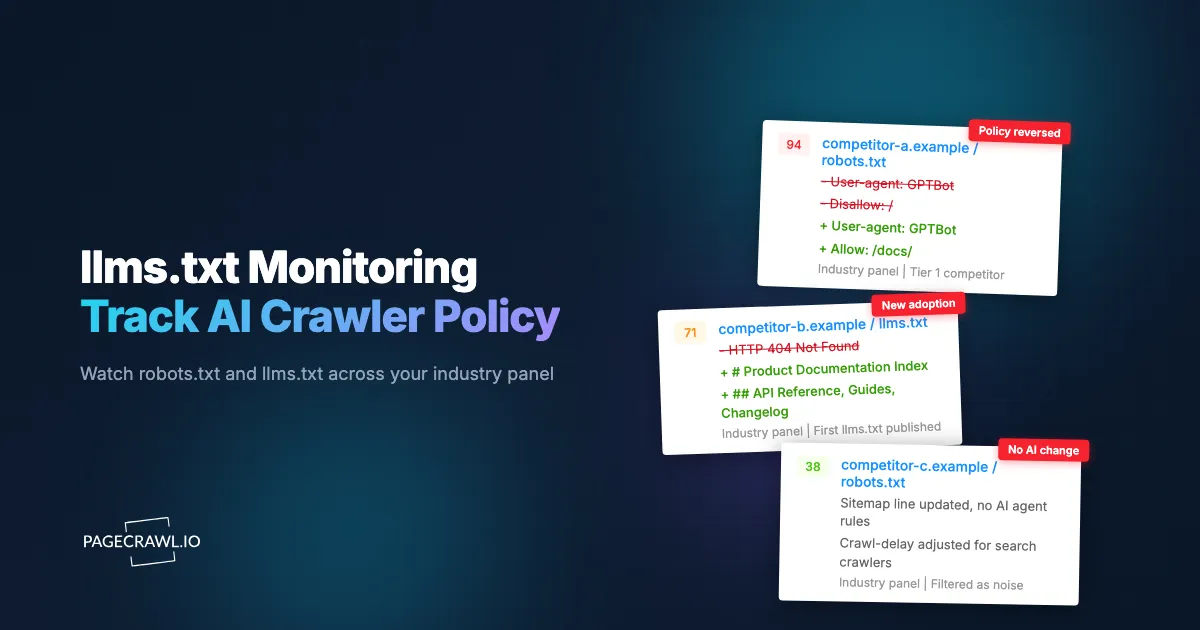
For most of your panel, the interesting change is not an edit to a file. It is a file appearing where there was none. A /llms.txt that returns 404 for eight months and then returns 200 marks the point a competitor entered this game. Set the monitor up on day one against the 404 so the transition is captured.
Distinguish the three crawler jobs
Conflating crawler types produces bad strategy memos. A publisher blocking training crawlers while allowing retrieval agents is not "blocking AI." It is refusing to donate a corpus while still wanting to be cited, which is a coherent and increasingly common position. Record which agent changed, not just that robots.txt changed, or your panel will report noise as strategy. Cloudflare's Radar robots.txt reporting shows a pattern worth knowing: disallow rules aimed at AI-only crawlers skew toward full-site blocks, while rules aimed at traditional search crawlers skew toward partial blocks on login and utility paths.
Watch serving errors too. Sites regularly return an HTML error page with a 200 status at /llms.txt, or serve a stale robots.txt from a CDN. Those look like content changes and are infrastructure noise, which is why the HTTP status monitor earns its place.
How do you set up an industry llms.txt monitor in PageCrawl?
You add each file URL as its own monitor, choose plain text tracking so you diff the raw file rather than a rendered page, set a frequency that matches how often policy actually moves, route alerts to the channel your team already reads, and add keyword rules so only AI-agent lines break the silence.
- Add the URL. Create one monitor per file, using the exact URL:
https://example.com/robots.txt, thenhttps://example.com/llms.txt, thenhttps://example.com/llms-full.txt. Add the llms.txt monitors even when they currently 404, because that 404 is your baseline and the flip to a real file is the event you most want. - Pick the tracking mode. Choose content or plain-text tracking rather than full-page visual tracking. These are text files, not rendered pages, so you want a literal line-by-line diff. Reserve full-page or screenshot modes for the HTML pages where a company explains its AI policy in prose.
- Add an HTTP status monitor for the llms.txt URLs. A status monitor turns "this file now exists" into an explicit alert instead of something you infer from a content diff on an error page.
- Set the check frequency. Crawler policy is not a price feed. Daily is right for most of a panel, and the free tier's hourly checks are already faster than the change rate. Reserve 15-minute checks for the three or four domains whose moves you would act on the same week. Alerts arrive on the next check that detects the change, so pick the interval by how quickly you would actually do something.
- Choose notification channels. Route panel alerts to email for the record, and to Slack, Discord, Microsoft Teams, or Telegram for the channel your team lives in. A shared
#geo-signalschannel works better than individual inboxes, because crawler policy changes are discussion triggers, not action items. - Add keyword rules so the panel stays quiet. robots.txt files churn for reasons that have nothing to do with AI: a new sitemap line, a crawl-delay tweak, a marketing path exclusion. Use conditional rules so an alert fires only when the diff contains the AI agent names you care about. Our guide to conditional alerts using price, keyword, and threshold rules walks through the pattern.
- Push structured events into your own system. If you keep a competitive database or a GEO scorecard, send each change to it by webhook so the panel builds a dated history you can query later, rather than a scroll of chat messages nobody can reconstruct in six months.
- Group the panel in a folder and tag by tier. Put every monitor in one folder named for the panel, then tag domains as Tier 1, Tier 2, or Watchlist. At quarterly review you want to read the panel as one artifact, not hunt through a flat monitor list.
Forty domains times two files is eighty monitors, the practical shape of a real category panel. Start smaller to prove the workflow: your ten closest competitors, robots.txt and llms.txt each, twenty monitors, daily checks. Two genuine policy moves in the first quarter justifies expanding to the full category. Zero means your industry has not started yet, which is itself worth knowing.
How do you turn crawler policy diffs into a GEO decision?
Convert each diff into a dated row with four fields: domain, agent affected, direction (opened or closed), and date. Review the table quarterly, not per alert. The decision you are informing is usually a single one: whether your own access policy is ahead of, level with, or behind the category you compete in for AI answer slots.
The discipline that makes this work is refusing to react to any single change and letting the table accumulate until a shape appears. A category where opens outnumber closes three to one over two quarters is telling you something. A single competitor toggling GPTBot off and back on in a week is telling you their developer was debugging.
The three decisions the panel actually informs
First, your own access policy: if most of your competitive set now permits retrieval crawlers and you do not, you are conceding answer-engine presence for a protection you may not need. Second, content investment: a competitor publishing a detailed llms.txt index is signalling where they think AI-mediated discovery will happen, which is a map of the topics they intend to own. Third, licensing: in publishing and data, a wave of full blocks across a category usually precedes negotiated access deals rather than permanent closure.
Read llms.txt contents, not just presence
The contents are the richer signal. An llms.txt is a curated list of what a company considers its canonical, AI-facing material, so when a competitor adds a whole new section they have usually shipped or repositioned something before the marketing site catches up. Diffing that file is a cheap product-launch tracker, and it pairs naturally with the broader tactics in our guide to agent search optimization and GEO.
Pair the panel with your own regression checks
An industry panel tells you where the market is going. It does not protect your own site from a deploy that quietly changes your directives. Keep a separate, faster monitor on your own robots.txt alongside your indexability checks. The two jobs use the same technique and answer completely different questions.
What goes wrong when tracking AI crawler policy at scale?
Four failure modes dominate: noise from irrelevant robots.txt edits, CDN and CMS defaults that produce phantom changes, misreading which crawler a rule targets, and letting the panel go stale because nobody owns the quarterly review. All four are avoidable, and three of them are configuration problems rather than judgement problems.
Noise from unrelated robots.txt edits
Most robots.txt changes have nothing to do with AI. Sitemap additions, campaign path exclusions, and crawl-delay tuning all produce diffs, and across forty domains that is a steady drip of alerts that trains your team to ignore the channel. Keyword-conditioned alerts restricted to AI agent names fix this, and should be configured before you add the twentieth monitor, not after.
CDN, CMS, and platform defaults
A platform migration can rewrite robots.txt wholesale without anyone deciding anything about AI, and some hosting platforms and CDNs now ship managed robots.txt files or one-click AI-blocking toggles. Before writing a competitor's move into your table, check whether several unrelated domains in your panel changed the same way in the same week. Simultaneous identical changes almost always mean a shared vendor, not a shared strategy.
Misreading which agent a rule targets
Wildcard rules, ordering, and similarly named agents make robots.txt easy to misread. A blanket User-agent: * block with a specific allow beneath it means something very different from a targeted disallow, and vendors run multiple named agents for different purposes. When a diff lands, read the full file, not the changed line. Vendor documentation is the authority on what each agent does, and it is worth re-checking, because vendors add and rename agents over time.
The other quiet killer is neglect. Companies get acquired and domains change, so put fifteen minutes a quarter against the panel: remove dead domains, add new entrants, confirm each monitor still returns a real file rather than a redirect to a marketing page.
Treating a stated policy as an observed fact
A directive is a request. Some crawlers ignore robots.txt, and some traffic attributed to a named agent is not that agent at all. Your panel measures what companies have declared, not what actually crawled anyone. Say "declared policy" in your memo and you will never have to walk a claim back.
How often should each tier of the panel be checked?
Match frequency to how fast you would act. Tier 1 competitors, where a policy change would trigger a same-week conversation, justify 15-minute or hourly checks. The broad category panel is fine on daily checks. Reference domains you track for context can run weekly, because you only look at them during quarterly reviews anyway.
| Tier | Typical size | Suggested frequency | Why |
|---|---|---|---|
| Tier 1 direct competitors | 5-10 domains | Every 15-60 minutes | You would act on a change within the week |
| Category panel | 20-40 domains | Daily | You need the curve, not the timestamp |
| Reference and adjacent markets | 10-20 domains | Weekly | Context for quarterly reviews only |
| Your own properties | 1-5 domains | As fast as your plan allows | A regression here costs you visibility now |
The only tier where speed genuinely matters is your own site, because an accidental block on your own domain costs you AI visibility every hour it stays live. For everyone else's declared policy, being a day late changes nothing, and over-checking a forty-domain panel burns quota you would rather spend elsewhere. An eighty-monitor panel on daily checks consumes roughly 2,400 checks a month, so work the arithmetic before you build the panel rather than discovering on the tenth that the quota is gone.
Choosing your PageCrawl plan
PageCrawl's Free plan lets you monitor 6 pages with 220 checks per month, which is enough to validate the approach on your most critical pages. Most teams graduate to a paid plan once they see the value.
| Plan | Price | Pages | Checks / month | Frequency |
|---|---|---|---|---|
| Free | $0 | 6 | 220 | every 60 min |
| Standard | $8/mo or $80/yr | 100 | 15,000 | every 15 min |
| Enterprise | $30/mo or $300/yr | 500 | 100,000 | every 5 min |
| Ultimate | $99/mo or $999/yr | 1,000 | 100,000 | every 2 min |
Annual billing saves two months across every paid tier. Enterprise and Ultimate scale up to 100x if you need thousands of pages or multi-team access.
At an engineering hourly rate, Standard at $80/year pays for itself the first time you catch a breaking API change, a deprecated endpoint, or a silent config change before it takes down production. 100 monitored pages is enough to cover the changelogs and docs of every third-party API your stack depends on. Enterprise at $300/year adds higher check frequency, 500 pages, and full API access. All plans include the PageCrawl MCP Server, which plugs directly into Claude, Cursor, and other MCP-compatible tools. Developers can ask "what changed in the Stripe API docs this month?" and get a summary pulled from your own monitoring history. AI assistants can create monitors through conversation on every plan, including Free, turning your tracked pages into a living knowledge base instead of a pile of alert emails.
Getting Started
Start with ten domains, not forty. List your closest competitors, add /robots.txt and /llms.txt for each as plain-text monitors on daily checks, and include the llms.txt URLs that currently return 404, because that 404 is the baseline and its disappearance is the adoption event you are here for.
Then do three things. Add a keyword condition so alerts fire only when an AI agent name appears in the diff. Route those alerts to a shared team channel rather than an inbox, since crawler policy is a discussion trigger. And open a dated table with four columns, domain, agent, direction, date, that you fill in as alerts land and read once a quarter. Set a faster monitor on your own robots.txt while you are there, because a competitor's declared policy is interesting and your own accidental block is expensive.
Ninety days from now you will be able to answer "has our industry changed its mind about AI crawlers?" with a table instead of a guess. Build the panel this week and let the curve accumulate.