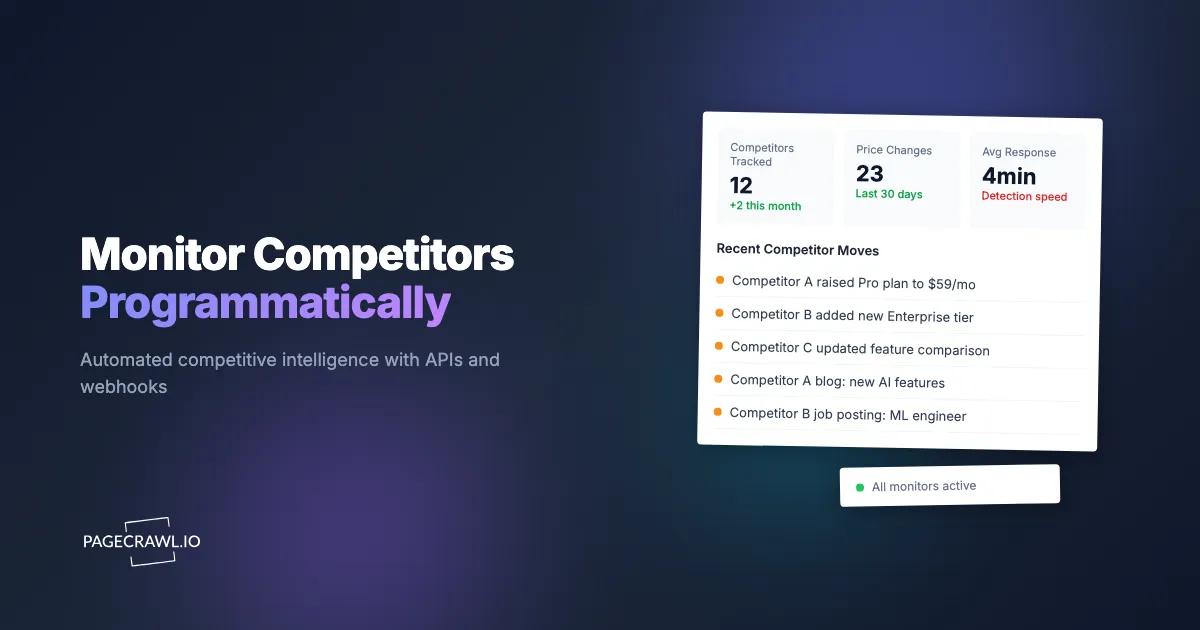
Manual competitive monitoring does not scale. Checking five competitor websites once a day is manageable. Checking fifty competitors across pricing pages, product listings, feature pages, analyst report placements, and job boards is a full-time job. And changes that happen between your checks go unnoticed entirely.
Programmatic monitoring solves this by automating the entire pipeline: fetching pages, detecting changes, generating diffs, and delivering structured notifications to your systems. This guide walks through how to set it up, with practical code examples for common competitive intelligence use cases.
What does a programmatic competitor monitoring system need?
Four components: monitor configuration, change detection, event processing, and storage. The first two are commodity work that a monitoring API can handle for you. The last two are always your code, because they encode your own business logic about which competitor moves matter.
A programmatic competitor monitoring system has four components:
- Monitor configuration - Which URLs to watch, how often, what content to track
- Change detection - Automated comparison of current vs previous page state
- Event processing - Your code that receives change notifications and takes action
- Storage and analysis - Historical data for trend analysis and reporting
You can build components 1-2 yourself (cron jobs, headless browsers, diff libraries), or use a monitoring API that handles them. Component 3-4 is always your code, since it depends on your specific business logic.
Setting Up Competitor Monitors
Using the PageCrawl API, create monitors for each competitor page you want to track. The examples below use the Python requests library, but any HTTP client works.
import requests

TOKEN = "your_api_token"
HEADERS = {"Authorization": f"Bearer {TOKEN}"}
BASE = "https://pagecrawl.io/api"

competitors = [
    {"url": "https://competitor-a.com/pricing", "mode": "price", "name": "Competitor A - Pricing"},
    {"url": "https://competitor-a.com/features", "mode": "fullpage", "name": "Competitor A - Features"},
    {"url": "https://competitor-b.com/pricing", "mode": "price", "name": "Competitor B - Pricing"},
    {"url": "https://competitor-b.com/products", "mode": "feed", "name": "Competitor B - Products"},
    {"url": "https://competitor-c.com/blog", "mode": "feed", "name": "Competitor C - Blog"},
]

for comp in competitors:
    response = requests.post(f"{BASE}/track-simple", headers=HEADERS, json={
        "url": comp["url"],
        "tracking_mode": comp["mode"],
        "frequency": 60,
        "ignore_duplicates": True,
    })
    print(f"Created: {comp['name']} (ID: {response.json().get('id')})")
Choosing tracking modes by page type:
- Pricing pages - Use
pricemode. It auto-detects prices and tracks each one separately, so you know exactly which plan or product changed. - Feature/comparison pages - Use
fullpagemode. Captures all text so you see when features are added, removed, or repositioned. - Product listings - Use
feedmode. Detects repeating items (products) and tracks additions, removals, and individual changes. - Blog/news - Use
feedorcontent_only. Feed mode catches new posts. Content-only mode tracks text changes to existing articles. - Job postings - Use
feedmode. Detects new job listings as they appear.
Processing Change Events
Set up a webhook to receive structured change data. The payload fields and signature verification are documented in the guide to the API and webhooks for custom integrations:
requests.post(f"{BASE}/hooks", headers=HEADERS, json={
    "target_url": "https://your-server.com/competitive-intel",
    "match_type": "all",
    "events": ["change_detected", "price_change_detected"],
    "payload_fields": [
        "title", "contents", "markdown_difference",
        "ai_summary", "ai_priority_score", "page", "page_elements",
    ],
})
Then handle incoming changes with a small receiver. This example uses Flask, but the shape is the same in any framework:
from flask import Flask, request

app = Flask(__name__)

@app.route("/competitive-intel", methods=["POST"])
def process_change():
    data = request.json

    competitor = data["page"]["url"]
    summary = data.get("ai_summary", "Change detected")
    priority = data.get("ai_priority_score", 0)
    diff = data.get("markdown_difference", "")

    # Store the change
    save_to_database(
        url=competitor,
        title=data["title"],
        summary=summary,
        diff=diff,
        priority=priority,
        detected_at=data["changed_at"],
    )

    # Alert team for high-priority changes
    if priority >= 60:
        send_slack_alert(
            channel="#competitive-intel",
            message=f"*{data['title']}* (priority {priority}/100)\n{summary}",
        )

    return "", 200
Tracking Pricing Changes
Price tracking deserves special attention because it is the most common competitive monitoring use case.
When you use price mode, PageCrawl auto-detects prices on the page and tracks each separately. The webhook payload includes structured price data:
@app.route("/competitive-intel", methods=["POST"])
def process_price_change():
    data = request.json
    elements = data.get("page_elements", [])

    for element in elements:
        if element.get("type") == "price" and element.get("changed"):
            current = element["contents"]
            previous = element.get("original", "N/A")

            log_price_change(
                url=data["page"]["url"],
                product=data["title"],
                label=element.get("label", "Price"),
                current_price=current,
                raw_text=previous,
                detected_at=data["changed_at"],
            )

    return "", 200
For deeper price intelligence, consider combining PageCrawl's price comparison feature to automatically compare prices across multiple retailers for the same product.
Building a Competitive Intelligence Dashboard
Use the change intelligence API to get workspace-level analytics about your competitors:

# Get most volatile competitors (most frequent changes)
response = requests.get(f"{BASE}/intelligence?days=30", headers=HEADERS)
intel = response.json()

print(f"Total changes in last 30 days: {intel['summary']['total_changes']}")
print(f"Change rate: {intel['summary']['change_rate']}%")

print("\nMost volatile competitors:")
for monitor in intel["most_volatile"]:
    print(f"  {monitor['name']}: {monitor['changed_checks']} changes ({monitor['change_rate']}% of checks)")
For per-competitor patterns:
# Get change patterns for a specific competitor
response = requests.get(f"{BASE}/intelligence/{monitor_id}?days=30", headers=HEADERS)
patterns = response.json()

print(f"Average days between changes: {patterns['avg_days_between_changes']}")
print(f"Most active day: {max(patterns['changes_by_day_of_week'], key=lambda x: x['changes'])['day']}")
print(f"Most active hour: {max(patterns['changes_by_hour'], key=lambda x: x['changes'])['hour']}:00")
Organizing Competitors
For large competitive monitoring setups, use tags and folders to organize your monitors:
# Create tags for each competitor
for name in ["Competitor A", "Competitor B", "Competitor C"]:
    requests.post(f"{BASE}/tags", headers=HEADERS, json={"label": name})

# Create a webhook that only fires for specific competitors
requests.post(f"{BASE}/hooks", headers=HEADERS, json={
    "target_url": "https://your-server.com/pricing-alerts",
    "match_type": "tags",
    "tag_ids": [tag_id_for_competitor_a],
    "events": ["price_change_detected"],
})
Can I query competitor monitoring data with an AI assistant?
Yes. PageCrawl exposes its monitoring history over the Model Context Protocol, so any MCP-compatible assistant can answer questions about your competitors directly from your own change history, with no dashboard to build and no export to wrangle.
If you use Claude or ChatGPT, the PageCrawl MCP server lets you query your competitive monitoring data conversationally:
- "What changes did Competitor A make this week?"
- "Show me all pricing changes across competitors in the last 30 days"
- "Which competitor's website changes most frequently?"
This is useful for quick competitive briefings without building a custom dashboard.
How often should you check competitor pages?
Hourly is enough for most competitor pages, and daily is enough for feature and blog pages. Your webhook fires when a check detects a difference, not when the competitor publishes it, so the check interval sets your worst-case delay. Reserve the fastest intervals, as short as every 2 minutes on paid plans, for product pages where price and stock shift and a few minutes of lag actually costs you something.
The frequency field in the monitor payload above is minutes, so 60 means an hourly check. Set it per page rather than globally: a competitor's pricing page and their careers page rarely deserve the same cadence.
Getting Started
Start with your top 3 competitors. For each, identify 2-3 key pages: pricing, features, and product listing. That is 6-9 monitors.
Set up the monitors, create a webhook, and build a simple handler that logs changes to a database and sends a Slack notification for high-priority changes. Run it for two weeks.
After two weeks, you will have a clear picture of how often each competitor makes changes, what kinds of changes they make, and which changes matter most. From there, you can expand to more competitors, more pages, and a broader competitive intelligence monitoring program.
PageCrawl was built with developers in mind from day one, with a full REST API, customizable webhooks, and an MCP server for AI assistants. The free tier includes 6 monitors with AI summaries and webhooks, which is enough to cover your top competitors' pricing pages.